Walk-Ins + Reservations
Walk-Ins and Reservations on One Screen
TablesReady gives your host stand one easy-to-use screen for walk-ins and reservations together. See who's waiting, what's coming up, and text any guest — all from the same page.
The Problem
Your host stand shouldn't be this hard
If your restaurant takes walk-ins and a few reservations, you already know the drill. Here's what makes it harder than it needs to be.
No clear picture of what's coming up
Your host is checking a clipboard for walk-ins and maybe a notebook or phone for reservations. There's no single view of who's waiting, who has a reservation arriving soon, and what the next 30 minutes look like.
Wait time quotes that miss the full picture
You tell a walk-in "about 20 minutes" without accounting for the reservations arriving soon. The actual wait is longer, the guest is frustrated, and you had no way to see it coming.
No easy way to reach guests
When a table opens, your host is shouting names, calling phone numbers, or walking the lobby to find the next party. Meanwhile the line keeps growing and walk-by traffic sees the crowd and keeps going.
Reservations live somewhere else — or nowhere
Some restaurants track reservations in a notebook, some take them by phone and hope they remember, some just don't take them at all because it's too much hassle. Either way, reservations and walk-ins aren't connected.
One Unified View
Walk-ins and reservations on the same screen
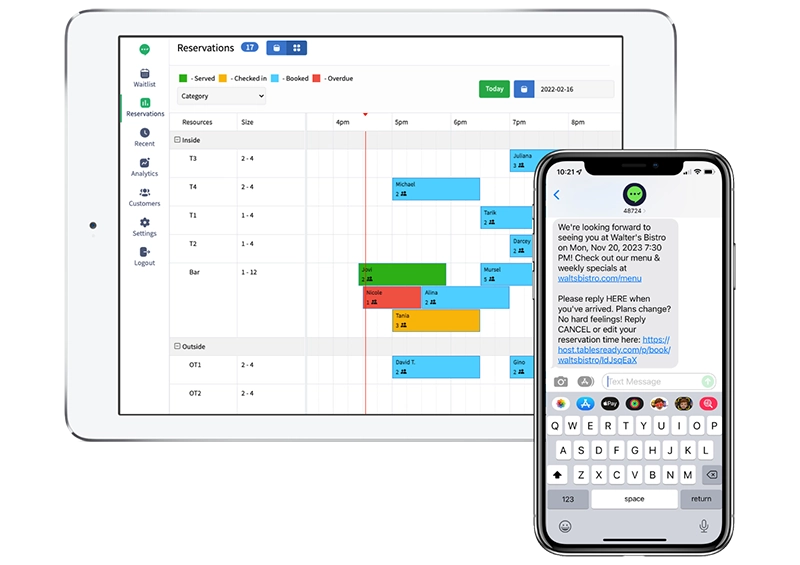
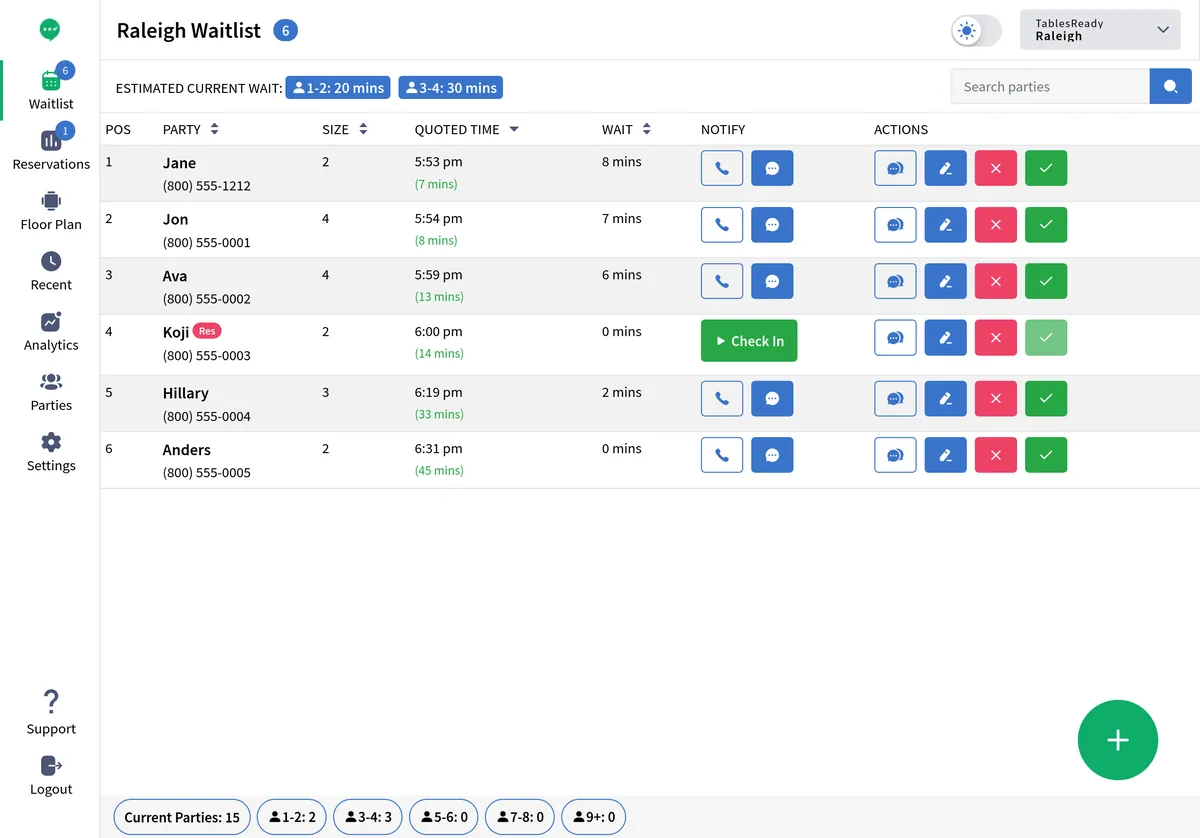
In TablesReady, walk-ins and reservations live side by side on one timeline. Your host sees every party at a glance — who's waiting, who's reserved, when they're arriving, and what's coming up next.
No clipboard. No separate notebook. Just one screen with everything your host stand needs.
- Walk-ins and reservations on a single timeline
- Estimated wait times that account for upcoming reservations
- Tap to text any party — walk-in or reservation
- Guests confirm or cancel by replying to a text — fewer no-shows, less phone tag
- Color-coded status so hosts see priorities instantly
Self-Service Check-In
Guests add themselves — walk-in or reservation
Walk-ins scan a QR code or text a number to join the waitlist. Reservation guests book online from your website or directly from Google via Reserve with Google. Everything lands on the same screen for your host.
No app download. No account creation. Guests just arrive or book — and it all flows into one place.
Full Online Booking
Complete reservation and booking capability, built in
TablesReady isn't just a waitlist tool with reservations bolted on. It has a complete online booking system: guests can reserve from your website, your TablesReady page, or Google. Add floor plans and table management to see your entire dining room at a glance.
Most of our restaurant customers are walk-in-heavy and use simple reservations alongside their waitlist. But the full booking capability is there whenever you need it — no upgrade required, no per-cover fees. And if you just need simple staff-entered reservations alongside your waitlist, that works out of the box — no online booking setup required.
Learn more about reservations & booking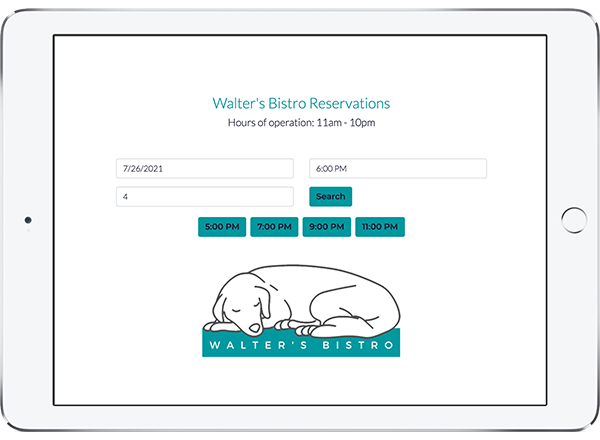
Who This Is For
You need this if…
- Your restaurant does mostly walk-ins but also wants easy reservation capability
- You want walk-ins and reservations visible together so your host always knows what's coming up
- You want full online booking without paying per-cover fees
- You're a multi-unit operator wanting a single, simple platform across all locations
Comparing alternatives?
See how TablesReady compares to OpenTable for walk-in-heavy restaurants — features, pricing, and an honest take on where each one wins.
How It Works
Up and running in minutes, not days
No hardware. No app for your guests to download. Just add parties and tap to text.
Add walk-ins or reservations
Tap to add walk-ins at the door. Accept reservations from your website, Google, or your TablesReady page. Everything appears on one screen.
Text them when ready
One tap sends a customized SMS to any party. Guests reply to confirm, cancel, or ask a question. Two-way texting keeps everyone in sync.
See the full picture
Track wait times, no-show rates, and reservation flow. Know exactly when to seat, when to quote, and when to staff up.
Testimonials
Thousands of Happy Customers Can’t Be Wrong

Affordable Pricing Plans
Flexible plans to fit your needs. 14-day free trial. No contracts or fees.
Frequently asked questions
Can TablesReady handle both walk-ins and reservations?
Yes. TablesReady was built from the ground up to handle walk-ins and reservations on the same screen. Your host sees a single, unified view of everyone — who's waiting, who's reserved, and when they're arriving. Wait time estimates automatically account for upcoming reservations.
How do walk-ins and reservations appear together?
Walk-ins and reservations appear together on your TablesReady waitlist page. Each party is color-coded by status (waiting, confirmed, seated, etc.), so your host can see priorities at a glance. You can also switch to a reservation grid view that shows bookings by time slot.
Do guests need to download an app to make a reservation?
No. Guests make reservations through your website, your TablesReady online booking page, or directly from Google Search and Maps via Reserve with Google. Walk-in guests can join the waitlist by scanning a QR code or texting a number. No app download, no account creation.
Can I accept reservations from Google?
Yes. TablesReady integrates with Reserve with Google, so guests can join your waitlist or book a reservation directly from Google Search and Google Maps. These bookings flow straight into your TablesReady dashboard alongside walk-ins and other reservations.
One screen. Walk-ins and reservations. Done.
Try TablesReady free for 14 days and see how simple it can be.
Start Your Free 14-Day Trial