Waitlist & Food Order Pickup Paging App for Food Trucks & Quick-Service Restaurants
TablesReady gives your customers the freedom to wait wherever they want without the fear of missing their order. With a single click, you can send a text to your customer notifying them that their table or food order is ready for pickup, no matter where they are.
Get Started Now
The SMS Waitlist App That's Trusted by Thousands of Businesses





Waitlisting and Food Order Management Trusted by Thousands of Businesses
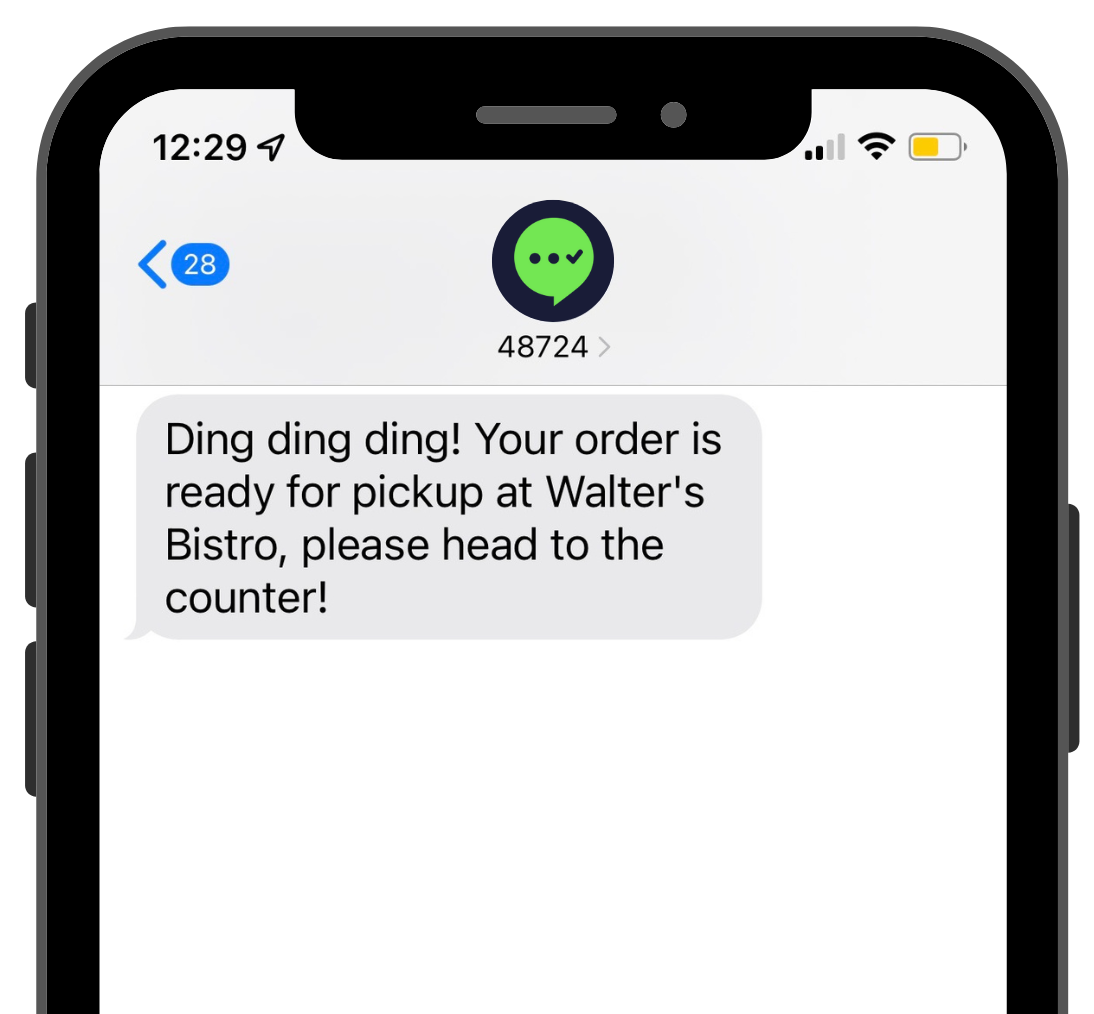
Stop Shouting Names & Eliminate Pick-Up Chaos
If you love screaming names or order numbers, you'll hate TablesReady. (Sorry, not sorry!)
Just enter a customer's phone number and name or order number - however you track things - into TablesReady and when their order is ready, simply click a button to send a customizable order ready notification straight to their mobile phone.
Grow Your Business With Happier, Engaged Guests
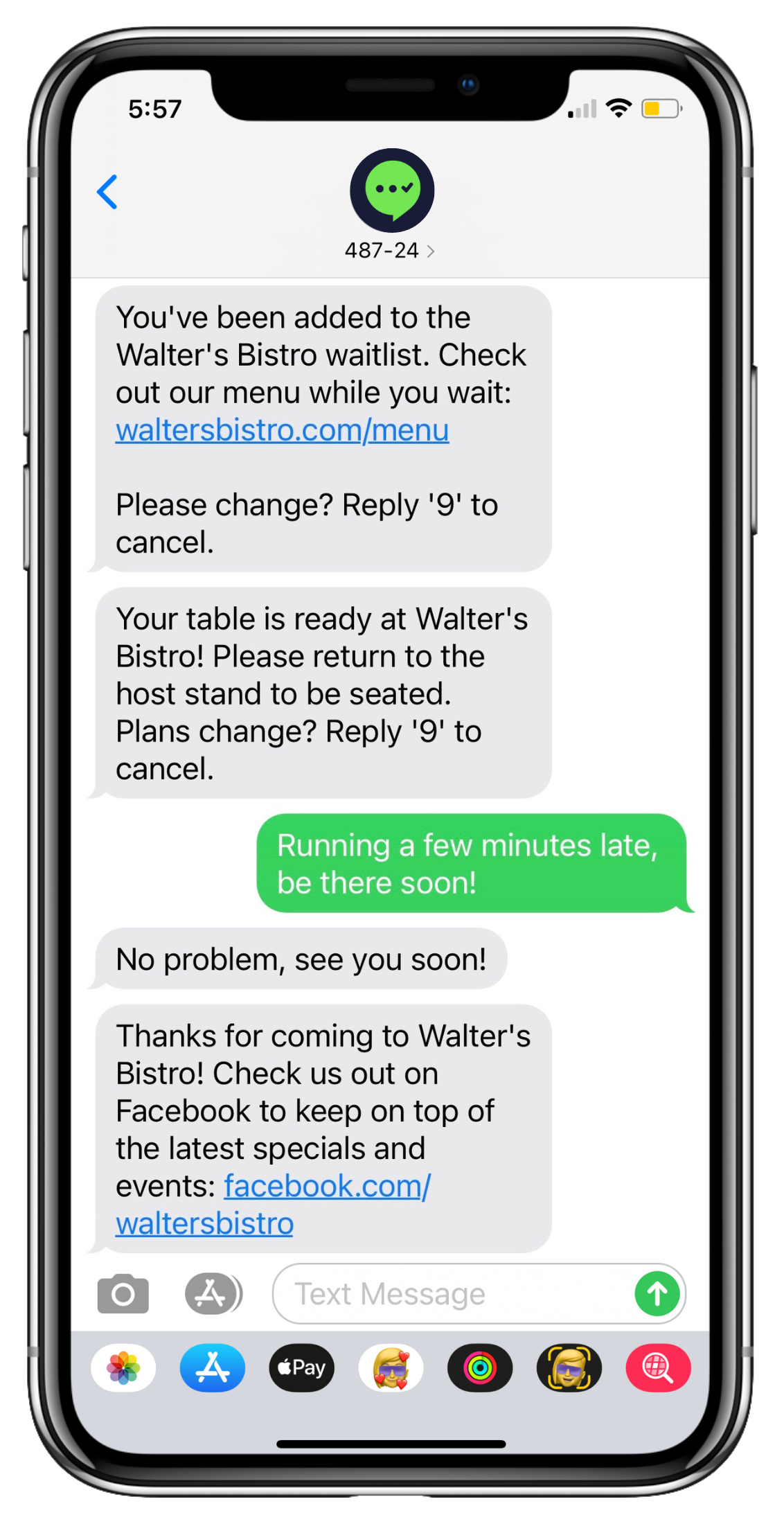
You could send your guests an impersonal beep or buzz through an old-school pager, or you can use your own brand's voice to send automated food pickup notifications. Throw in SMS automations, two-way chat, and follow-up messages to promote specials or request reviews and you've got yourself an incredibly powerful suite of customer communication tools!
Of course, that's not to say that your vintage pagers are entirely useless — they make fantastic paperweights.
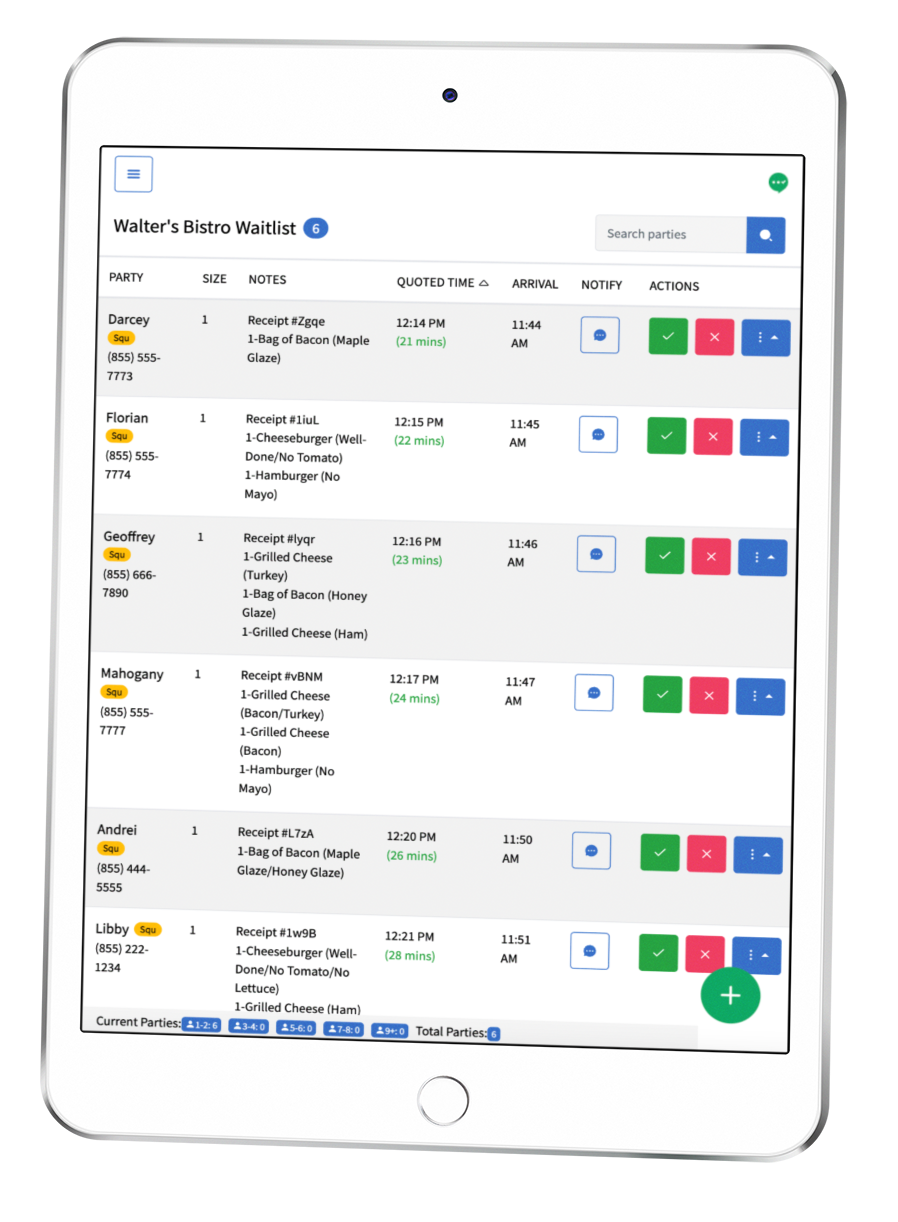
Integrate with Square POS for Easier Food Ready Texts
Our direct integration with Square automatically pulls in customer and order information, so you can notify them when their order is ready with a simple click of a button. View order information directly on your waitlist and use TablesReady as a KDS.
Yep, that's right – what was already easy just got even easier.
Start Your 14-Day Free Trial
Get started nowHow TablesReady Works
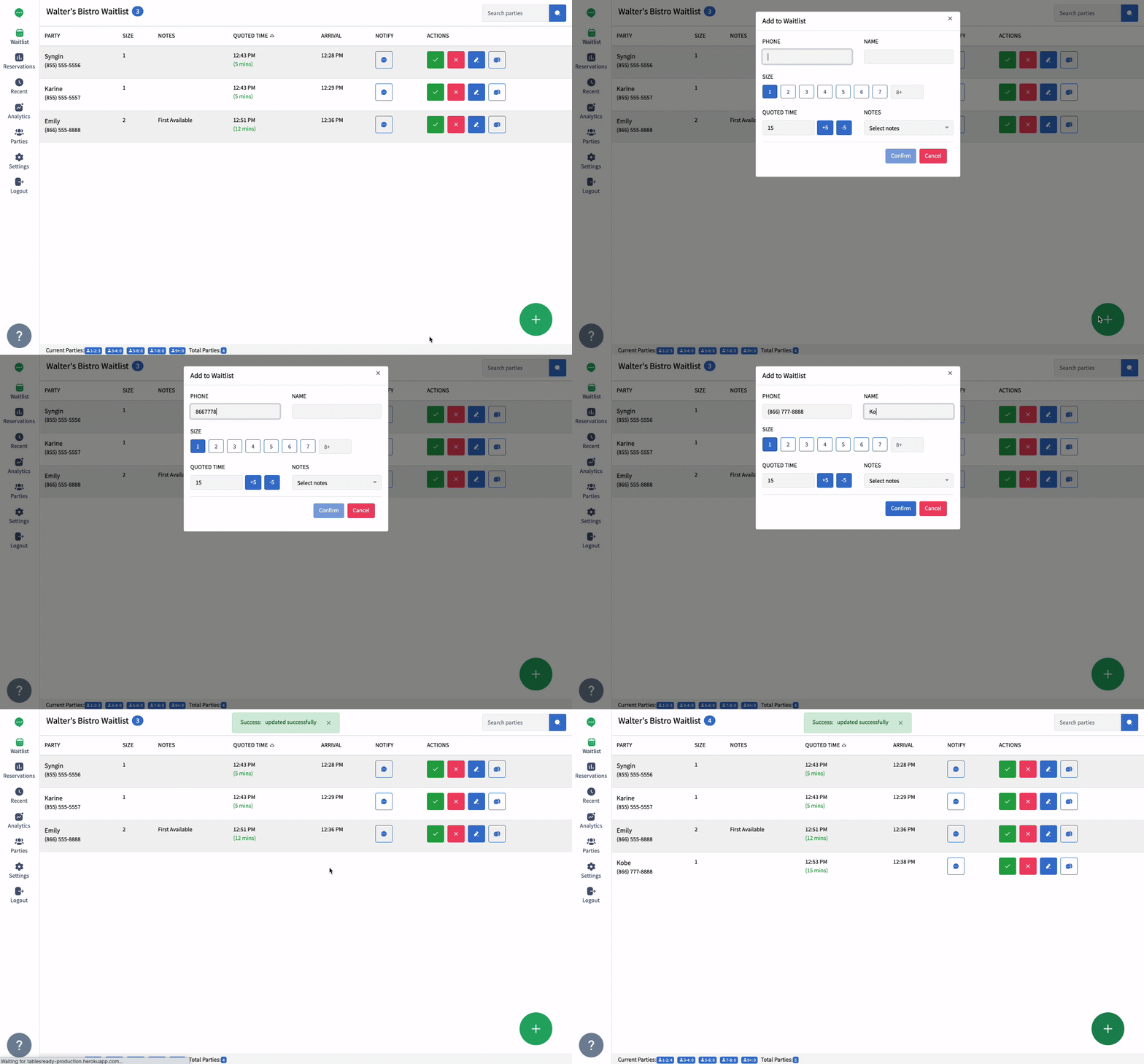
Add Guest to Waitlist
Enter customer phone number and name/order number into the system
Text When Order is Ready
Click to send customizable notifications when orders are ready
Mark as Served
Complete the order when picked up
Testimonials
Thousands of Happy Customers Can’t Be Wrong
We use third-party services (Gartner, Trustpilot, Capterra, SourceForge) to show verified customer reviews. Allow embedded content to load them.

Affordable Pricing Plans
Flexible plans to fit your needs. 14-day free trial. No contracts or fees.
Start Your 14-Day Free Trial
Your new food order pickup notification & waitlist app is here.
Get Started Now