Dynamic Content in Your Alert Notifications
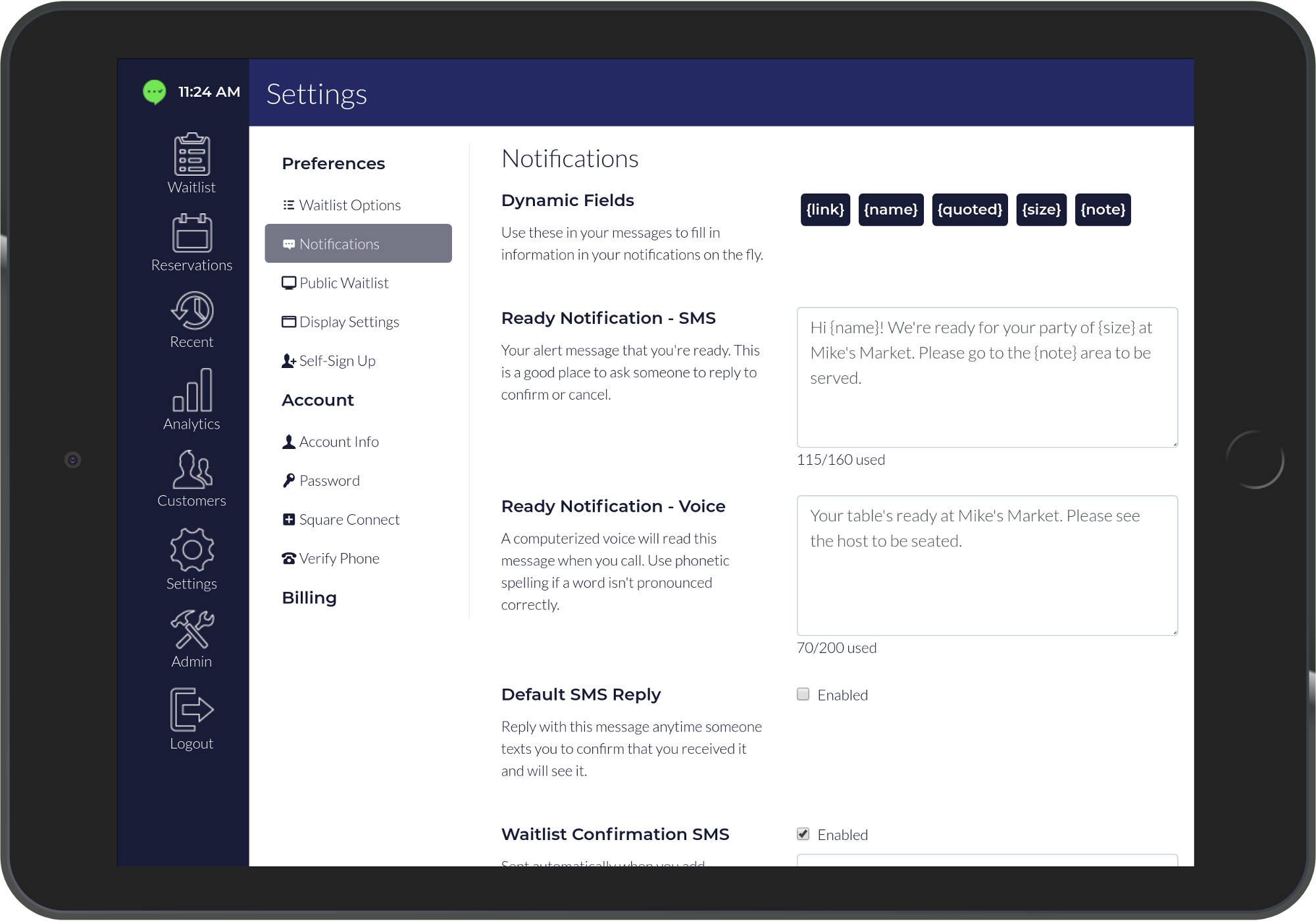
We're excited to announce a feature allowing dynamic content insertion into customized alert notifications. This enables more personalized and informative customer communications.
Five Dynamic Content Options
1. {link}
Provides customers with a unique link to view their position in the waitlist when the Public Waitlist view mode is enabled.
2. {note}
Allows businesses to include additional customer information in notifications, such as special requests or important details.
3. {name}
Enables personalization using guest names for a more friendly, customized experience.
4. {size}
Incorporates party group size into messages, helping customers confirm their reservation details.
5. {quoted}
Displays estimated wait time in minutes, setting accurate expectations for your guests.
How to Use Dynamic Content
Simply include these tokens in your notification templates, and they'll automatically populate with the relevant information for each customer. This creates a more professional and personalized communication experience.
Benefits
- Improved customer communication
- Reduced confusion about waitlist status
- Enhanced professional appearance
- Better customer experience
- Increased efficiency for your staff
Start using dynamic content today to elevate your customer communications and streamline your waitlist management.
Ready to ditch the clipboard?
Try TablesReady free for 14 days. No credit card required.
Start Your Free Trial